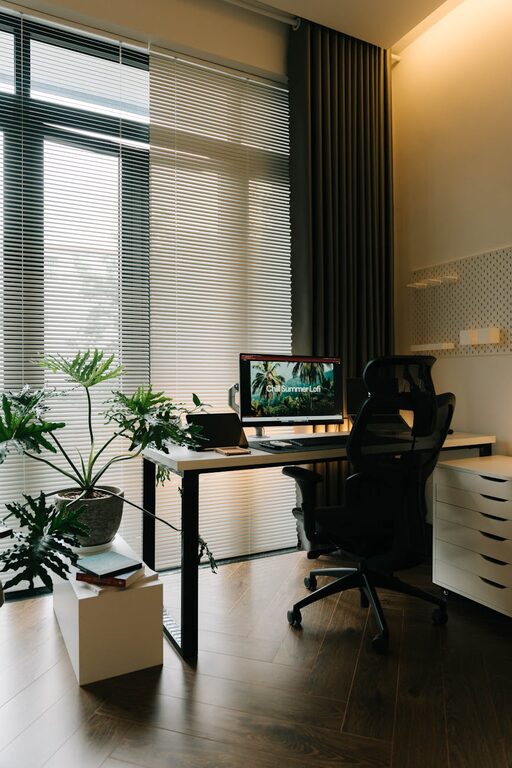
Creating a home workspace that is both cozy and functional can make a significant difference in your daily productivity and overall well-being. Whether you work remotely full-time or need a dedicated area for occasional tasks, designing a space that is comfortable and organized helps maintain focus and reduce stress. Here are practical tips to help you set up an inviting and efficient home workspace.
1. Choose the Right Location
Selecting the best spot in your home for your workspace is the foundation of a successful setup.
– Quiet and Private: Look for a space away from heavy foot traffic or noisy areas to minimize distractions.
– Natural Light: Position your desk near a window if possible. Natural light boosts mood and improves energy levels.
– Adequate Space: Make sure there is enough room for your desk, chair, and any equipment you need without feeling cramped.
2. Invest in Comfortable Seating
Since you’ll be spending hours at your desk, comfortable seating is essential.
– Ergonomic Chairs: Choose a chair with adjustable height and lumbar support to promote good posture.
– Add Cushions or Footrests: Enhance comfort with cushions or a footrest if needed.
– Test Before Buying: If possible, try out chairs before purchasing to find what works best for you.
3. Organize with Smart Storage Solutions
Clutter can be distracting. Efficient storage helps keep your workspace tidy while making items easily accessible.
– Desk Organizers: Use trays, pen holders, and small containers to keep office supplies orderly.
– Shelves and Cabinets: Install shelves or use storage cabinets to hold books, documents, and equipment.
– Digital Organization: Reduce paper by organizing files digitally, and keep cords managed with clips or sleeves.
4. Create a Personal Touch
Personalizing your home workspace adds comfort and inspiration.
– Decor: Add plants, artwork, or photos to make the area feel welcoming.
– Colors: Choose calming colors such as soft blues, greens, or neutrals to create a relaxed environment.
– Scent and Lighting: Consider a subtle diffuser with your favorite scents and use adjustable lamps to control brightness.
5. Prioritize Proper Lighting
Good lighting reduces eye strain and helps maintain focus.
– Combination Lighting: Use a mix of ambient, task, and accent lighting.
– Adjustable Desk Lamps: Having a lamp with adjustable brightness and positioning allows better control.
– Avoid Glare: Position your screen and lights to avoid glare on your computer monitor.
6. Make Technology Work for You
Efficient use of technology keeps your workflow smooth.
– Reliable Internet: Ensure a strong, stable internet connection.
– Necessary Equipment: Invest in a good monitor, keyboard, mouse, and headphones if needed.
– Cable Management: Use clips, trays, or boxes to keep wires tidy and out of the way.
7. Establish Boundaries and Routine
A cozy, functional workspace also benefits from clear boundaries and routines.
– Set Work Hours: Define when to start and end your workday to maintain work-life balance.
– Break Spaces: Designate a nearby spot to take short breaks and refresh your mind.
– Limit Distractions: Inform household members of your schedule and keep personal devices away during work hours.
8. Keep It Clean and Fresh
A clean space promotes a clear mind.
– Daily Tidying: Spend a few minutes each day organizing your desk.
– Air Quality: Open windows or use air purifiers to keep the air fresh.
– Maintenance: Regularly clean electronics, furniture, and floors to create a healthy environment.
Final Thoughts
Designing a home workspace that feels both cozy and functional is achievable with a little planning and creativity. Prioritize comfort, organization, and personalization to create a space where you enjoy working. Remember, a well-arranged workspace can boost motivation, improve focus, and make working from home more pleasant. Start small, adjust over time, and create your ideal work environment step by step.
About the Author